
With OvinApp you keep a record of what your flock eats: what feed, how much, when and which animals you gave it to.
1Go to Feeding
Open the feeding section of the app.
2Select the type of feed
Choose from the list the feed you are going to give.
3Enter the amount and the dates
Enter how much feed was given and from which date to which date.
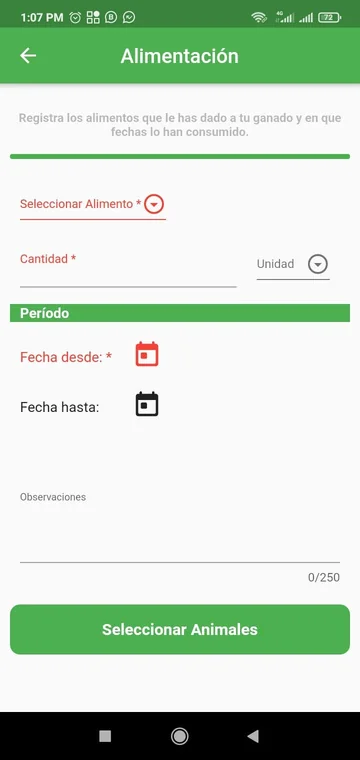
4Choose the animals
Select the animals manually, or check all of them at once.
5Apply the feeding
Add a note if it helps your record and confirm. The feeding is applied to the selected animals.
6Check and edit the history
The history shows the records from newest to oldest. You can search among them and edit a record. You can also see the latest feeding treatments in the record of each animal.
Download OvinApp
OvinApp is free for up to 20 animals. See plans and pricing on the membership page.